So I have to admit, Twitter was one of those things that was trending for the past few years that I absolutely refused to give in to (partly because I did not have a smart phone, and bec

ause I did not want to give into the hype). Yet this EDUC 504 - Teaching with Technology has provided me with resources of its benefits. My twitter username is:
IntaEducation (alas, Twitter does not allow a "-" in their usernames). These are the
top five things through which my perspective on twitter has changed on:
1. I did not know that Twitter was anything more than a mundane form of social networking.
(Many of my fiends in undergrad would spam hashtags for no reason).
2. It is a huge networking tool if used correctly.
(Librarian Shannon McClintock Miller cites Twitter as an avenue to learn about many online resources)
3. Twitter is one of the avenues where PLN comes together.
(PLN - a community of people that are learning together around the world)
4. Twitter utilizes the cognitive dimension of creating - producing and synthesizing one's thoughts about a particular subject -- it is a way to share information in 140 words or less.
(Which brings me to my main point)
5. 140 words is actually practicing how to make one's comment concise and relevant
(Ie. hashtags)
In addition, there is a ridiculous amount of flexibility in terms of use for the classroom on Twitter. For example, it allows students to post a thought, reply to others, post pictures, url's, or even affirm one another by retweeting their fellow classmates' comments. And against popular belief (or perhaps, just my old view), Twitter is an excellent way to check for understanding. As mentioned above, it allows students to synthesize their thoughts and produce a product in 140 words or less! This can be used in assessments and class participation through students' posting up their own comments in addition to backing them up with photos or videos!
It is pretty exciting stuff!!
Also, I want to share something else that my good friend Larry Liu introduced to me right when I started the Secondary MAC Program:

That's right ladies and gentlemen, something so simple, yet quite revolutionary. It belongs to a family of similar programs such as Amazon Cloud, iCloud, and Microsoft Skydrive, yet it is more flexible and faster.
What Dropbox does is essentially creates a dropbox folder in your computer which syncs to the online dropbox at all times (as long as you are connected to the internet). I have
all my class files and folders on there. So let's say I need to print something on M-Print, yet M-Print does not have the flexibility to print a few pages in a document (it only gives the option to print the entire document). I also so happen to be fresh out of flash drives in my life, but I do not worry because I can go to the computer lab in the School of Education and log into my dropbox account online and download the files there!
It doesn't stop there! You can create a folder and share that with a friend, and have multiple folders that are shared with multiple friends, an extremely easy way to share files, essentially eliminating the need for the phrase "let me e-mail it to myself," who emails to themselves anyway? (
I did).
In addition! This program is free (for the first 2 GB's) and can also be installed on a smartphone, also free! Now you can take your dropbox with you wherever you go with 3G.
I tend to be easily awed by technology when I become enlightened to its' many applications. To balance out the yin to my yang, let me go outside and stare at the sky for a while, just like I did after watching Transformers 3, to remember that there is an equally awe inspiring world around me.
 (An example of one of their shirt designs)
 r keywords, manage multiple Twitter, Facebook, LinkedIn and etc accounts. It was quite the hoot, literally. It was the first time I have ever made use of the #hashtags. I think I have a special eye out for #smac504
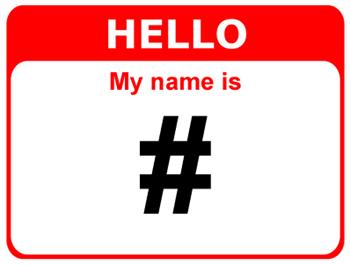 everywhere I am. Sometimes I am driving and I see an exit, and I can almost see the hashtag there. It reminds me of a friend that I have who thinks she sees facebook notifications everywhere in life. Perhaps this is an example of getting too Inta Technology. See what I did there? I just reinforced the theme of this blog utilizing prior knowledge while making a pun. Win.